Why Your eCommerce Website Isn't Getting Traffic (And How to Fix It)
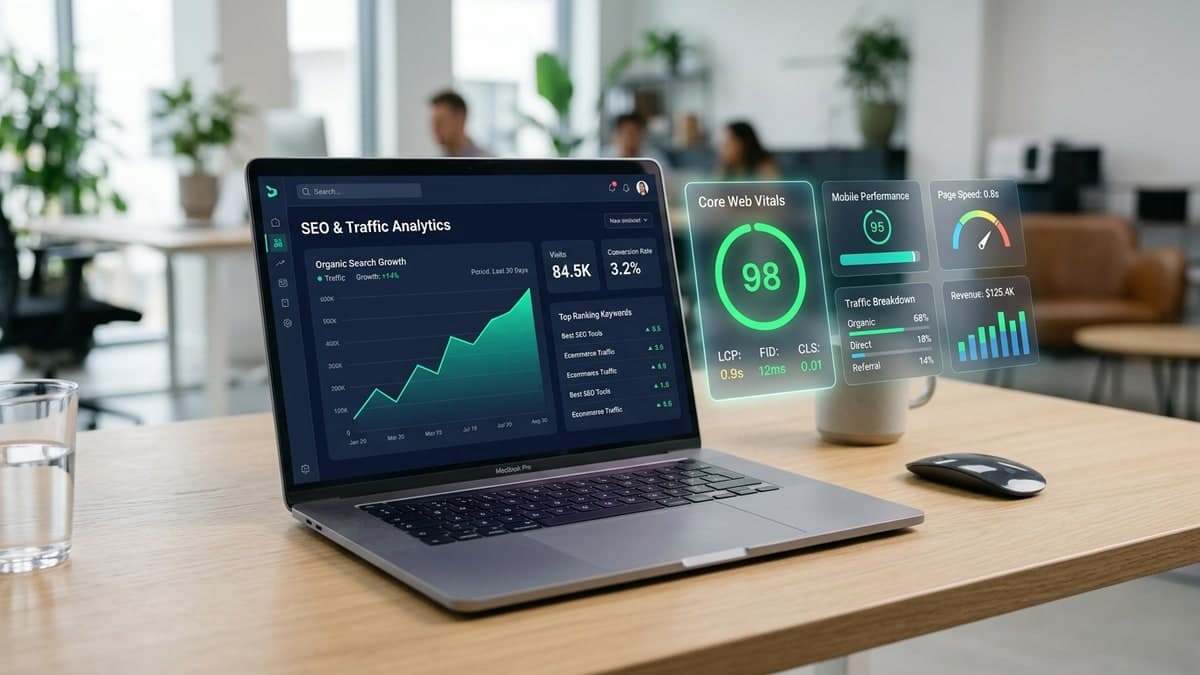
The "Build It and They Will Come" Myth: Every week, ambitious retailers invest months into designing an attractive online store, photographing products, configuring payment gateways, and launching their website—only to open their analytics dashboard and see a flat line of visitors. Whether a business operates on Shopify, WooCommerce, or a custom web platform, a polished storefront on its own does not generate traffic.
When an eCommerce website isn't getting traffic, the root cause is rarely a single missing setting. Instead, low visitor numbers usually stem from a combination of hidden technical indexing blockers, misaligned keyword targeting, thin product and collection pages, sluggish mobile performance, invisibility across modern AI discovery engines, or disconnected marketing execution.
This diagnostic guide breaks down the seven core reasons online stores struggle to attract qualified buyers across global markets—from the United States, the United Kingdom, and Europe to Sri Lanka—and provides a practical roadmap to build sustainable, high-intent traffic.
- •1. Technical Indexing and Crawlability Barriers
- •2. Targeting the Wrong Keywords (Or Ignoring Search Intent)
- •3. Weak Collection Pages and Manufacturer-Copied Product Copy
- •4. Slow Storefront Speed and Poor Mobile Experience
- •5. Invisible to AI Search and Conversational Discovery (GEO)
- •6. No Evergreen Content or Top-of-Funnel Discovery Engine
- •7. Over-Reliance on a Single Channel or Uncalibrated Ads
- •How to Diagnose and Fix Your Store's Traffic: A 6-Step Action Plan
- •Realistic Timelines: How Long Does It Take to Grow eCommerce Traffic?
- •Frequently Asked Questions
- •Conclusion
1. Technical Indexing and Crawlability Barriers
Before Google, Bing, or AI-powered search engines can rank your products, their crawlers must be able to discover, render, and index your store's pages. Technical SEO issues are the most common reason a newly launched or recently redesigned store receives near-zero organic search traffic.
Even well-designed stores frequently suffer from hidden crawl barriers introduced during development or theme customization:
- Accidental noindex tags or robots.txt blocks: Developers routinely block search engines on staging environments to prevent unfinished pages from appearing in Google. If a `<meta name="robots" content="noindex">` tag or a disallow rule in `robots.txt` is accidentally carried over to the live domain, search engines will ignore the entire store.
- Unsubmitted or broken XML sitemaps: Platforms like Shopify and WooCommerce generate XML sitemaps automatically (`sitemap.xml`), but if the sitemap is never submitted in Google Search Console—or contains broken 404 URLs and non-canonical links—new products and collections can sit unindexed for months.
- Faceted navigation and duplicate URL bloat: eCommerce category filters for size, color, price, and sorting often generate thousands of dynamic URL parameters (such as `?color=blue&sort=price-asc`). Without proper canonical tags and parameter handling, search bots waste crawl budget indexing duplicate filter combinations instead of your core collection and product pages.
- Orphan pages and shallow internal architecture: If important product collections are buried four or five clicks deep—or are only reachable through a JavaScript search widget rather than clean HTML navigation links—search engines treat them as low-priority pages.
How to Check If Google Is Actually Indexing Your Store
Open Google Search Console, navigate to Indexing → Pages, and compare your count of Indexed pages against Not Indexed pages. Look closely at exclusions labeled "Crawled – currently not indexed" or "Discovered – currently not indexed." When hundreds of product pages sit in these buckets, Google is signaling that your site structure, internal linking, or page uniqueness is too weak to justify indexing those URLs.
2. Targeting the Wrong Keywords (Or Ignoring Search Intent)
Many online retailers struggle with low eCommerce traffic because their pages target keywords that are either impossibly broad or mismatched with buyer intent. Trying to rank a young online store for a single-word head term like "handbags," "coffee," or "running shoes" pits you directly against global marketplaces and billion-dollar retail directories.
Conversely, optimizing a product page for a purely informational query (such as "how to clean leather boots") brings visitors who want a maintenance tutorial rather than a pair of boots to purchase. Effective SEO and search optimization services align every page type in your store with a specific stage of search intent:
| Store Page Type | Primary Search Intent & Keyword Style | Practical eCommerce Example |
|---|---|---|
| Category / Collection Pages | Commercial & Mid-Tail Category Keywords (browsing & comparing options) | "Waterproof trail running shoes for men" or "Organic single-origin Ceylon cinnamon" |
| Sub-Collection / Attribute Pages | Specific Use-Case, Material, or Audience Modifiers | "Lightweight carry-on laptop backpacks under 1.5kg" or "Sulfate-free curly hair shampoos" |
| Individual Product (SKU) Pages | High-Intent Transactional & Model/Specification Queries | "AeroTrail GTX Pro Men's Size 10" or "250g Alba Grade Organic Ceylon Cinnamon Quills" |
| Blog & Buying Guide Articles | Informational & Problem-Solving Queries (top-of-funnel discovery) | "How to choose trail running shoes for wet terrain" or "Ceylon vs Cassia cinnamon guide" |
merchants also need to watch for keyword cannibalization—a common problem where ten color variants of the exact same product are published as separate URLs targeting the same keyword phrase, forcing the store's own pages to compete against one another in search results.
3. Weak Collection Pages and Manufacturer-Copied Product Copy
Search engines evaluate whether an eCommerce page provides distinct value compared to every other retailer selling similar goods. Two content mistakes routinely hold back eCommerce SEO:
First, collection pages with zero contextual copy. Many stores treat category pages as nothing more than a title and a grid of product thumbnails. Without concise introductory guidance, sub-category links, and bottom-of-page buying FAQs, search engines struggle to understand the breadth and relevance of the collection.
Second, manufacturer-copied or one-sentence product descriptions. If you sell electronics, beauty products, or apparel and paste the exact supplier description used by fifty other websites—or publish a single generic sentence—search algorithms filter your product page out as duplicate or thin content.
Thin Storefront Pages vs. Search-Optimized eCommerce Merchandising
How high-ranking online stores structure collection and product pages to capture organic traffic.
Thin & Duplicate Catalog Pages
Why search engines skip over most product listings
- Collection pages display only a generic title (e.g., "Shop All") and a grid of photos
- Product descriptions copy raw manufacturer specs or contain fewer than 40 words
- Images use generic filenames (`IMG_4092.jpg`) with missing descriptive `alt` text
- No structured Schema.org JSON-LD markup for price, stock status, or customer reviews
Intent-Rich Collection & Product Pages
Built to rank in search results and convert shoppers
- Contextual collection headers: 2–3 concise sentences explaining the range, plus helpful bottom-of-page buying FAQs
- Original, benefit-led product copy: Detailed materials, sizing/fit guidance, compatibility tables, and real use cases
- Optimized visual assets: Descriptive filenames (`waterproof-leather-chelsea-boot-black.jpg`) and accessible `alt` attributes
- Rich Product Schema: Valid JSON-LD markup (`Product`, `Offer`, `AggregateRating`, `BreadcrumbList`) for enhanced search snippets
4. Slow Storefront Speed and Poor Mobile Experience
Most eCommerce browsing now happens on mobile devices over variable cellular connections. If your store takes four or five seconds to become interactive, two things happen: paid ad visitors bounce before the page even renders, and Google's page experience signals demote your organic rankings in favor of faster competitors.
Performance issues rarely come from the core platform itself; instead, they accumulate as merchants install overlapping third-party apps, unoptimized pop-up scripts, chat widgets, and uncompressed video or hero imagery:
Largest Contentful Paint (LCP)
Measures how quickly the main hero banner or product image loads. Uncompressed PNG/JPEG banners, lazy-loaded above-the-fold images, and slow theme fonts are the primary culprits behind poor LCP.
Interaction to Next Paint (INP)
Measures how fast the store responds when a shopper taps a size selector, filter, or "Add to Cart" button. Heavy third-party JavaScript apps and leftover tracking pixels frequently freeze mobile interactivity.
Cumulative Layout Shift (CLS)
Measures unexpected layout jumping while the page loads—often caused by late-loading announcement bars, currency converters, or product images without explicit width and height dimensions.
Auditing and cleaning up storefront scripts through dedicated performance and conversion optimization improves both organic search rankings and the conversion rate of every visitor you already attract.
5. Invisible to AI Search and Conversational Discovery (GEO)
How consumers search for products online is changing rapidly. Alongside traditional Google keyword searches, buyers increasingly use Google AI Overviews, ChatGPT, Perplexity, and conversational shopping assistants to ask detailed buying questions such as "What is the best ergonomic office chair under $500 with adjustable lumbar support that ships to the UK?"
As we explored in our guide on how AI is transforming the future of eCommerce, AI discovery engines do not browse stores visually the way humans do—they parse structured catalog data, merchant feeds, verified reviews, and explicit policy pages:
- Unconnected Google Merchant Center feeds: Many retailers never configure or sync their product feed with Google Merchant Center, missing out on free Google Shopping tab listings and Google's Shopping Graph (which powers AI-assisted product comparisons).
- Missing technical attributes and specifications: When product weight, dimensions, materials, compatibility, GTIN/MPN codes, and care instructions are locked inside flat image graphics rather than structured HTML text and schema fields, AI engines cannot verify that your product matches a shopper's prompt.
- Vague shipping, customs, and return policies: Conversational search assistants actively filter out merchants whose delivery timelines, warranty coverage, or return rules are unclear.
Combining Traditional SEO with Generative Engine Optimization (GEO)
Traditional SEO helps your category and product pages rank in standard search results, while Generative Engine Optimization (GEO) structures your product attributes, JSON-LD schema, buying guides, and merchant feeds so AI search engines can accurately cite and recommend your products.
6. No Evergreen Content or Top-of-Funnel Discovery Engine
If your eCommerce website consists solely of a homepage, collection pages, and product listings, you are only competing for the small fraction of shoppers who already know the exact product name they want to buy. You remain invisible to the much larger audience researching problems, comparing materials, or learning how to choose the right product.
High-performing eCommerce brands build topical authority by publishing genuinely useful, evergreen educational content that connects naturally to their commercial catalog:
- Side-by-side buying guides and comparisons: Helping buyers choose between product tiers, materials, or use cases (e.g., "Mineral vs. Chemical Sunscreen for Sensitive Skin" or "How to Choose the Right POS Hardware for a Retail Store").
- Problem-solving tutorials and care guides: Answering the exact questions customers ask before and after purchasing, while linking contextually to relevant collections.
- Internal linking hubs: Using informational articles to pass search authority directly to priority category and product pages through descriptive anchor text.
7. Over-Reliance on a Single Channel or Uncalibrated Ads
Traffic problems are not limited to organic search. Many merchants rely entirely on organic social media posts—where algorithm shifts can cut reach overnight—or launch paid Meta and Google Ads campaigns without proper tracking and landing page alignment, burning through budget with little qualified traffic to show for it.
Relying Solely on Organic Social Posts
Posting product photos on Instagram, TikTok, or Facebook without search optimization or email capture leaves your store dependent on fleeting social feed algorithms.
Sending Paid Clicks to a Generic Homepage
Routing product-specific ad clicks to a general homepage forces shoppers to hunt for the item they clicked on, causing immediate drop-offs and high bounce rates.
Missing GA4, Pixel & Conversion API Tracking
Running paid campaigns without verified Google Analytics 4, Meta Conversion API, and Google Ads purchase tracking prevents ad algorithms from optimizing for real buyers.
No Email or SMS Lifecycle Capture
Failing to capture first-time visitors through helpful welcome offers, restock alerts, or buying guides means you must pay from scratch to re-acquire every visitor.
Unclear International Currency & Shipping Info
Cross-border visitors abandon stores quickly when currency options, shipping rates, or international delivery timelines are hidden until the final checkout step.
Lack of Verified Reviews & Trust Signals
Even when shoppers find your listings in search or shopping feeds, missing star ratings, customer photos, and clear contact details suppress click-through rates.
How to Diagnose and Fix Your Store's Traffic: A 6-Step Action Plan
Turning around a low-traffic online store does not require guessing. Follow this structured six-step engineering and marketing roadmap to eliminate technical bottlenecks and build compounding visitor growth:
1. Audit Technical Indexing and Google Search Console
Verify that your live domain has clean `robots.txt` rules, submit your XML sitemap in Google Search Console, fix broken 404 links and redirect chains, and apply canonical tags to filtered collection URLs so search engines index your core pages.
2. Rebuild Store Architecture Around Search Intent
Organize your navigation into clear, keyword-aligned collections and sub-collections. Whether you are launching via Shopify store development or custom eCommerce storefront and commerce development, ensure every collection and product page targets a distinct commercial search phrase.
3. Upgrade Collection Copy, Product Descriptions, and Schema
Replace copied supplier text with original, specification-rich descriptions that answer buyer questions, and deploy valid Schema.org JSON-LD markup (`Product`, `Offer`, `AggregateRating`, and `BreadcrumbList`) to qualify for rich product snippets in search results.
4. Fix Mobile Speed and Remove App Bloat
Uninstall unused third-party apps, remove leftover tracking scripts, convert large images to modern WebP/AVIF formats, and optimize Core Web Vitals through professional performance and conversion optimization.
5. Activate Google Merchant Center and GEO
Connect your live product catalog to Google Merchant Center to appear in free and paid Google Shopping listings, and structure your product attributes and policy pages for Generative Engine Optimization (GEO) across AI search tools.
6. Align Analytics, Paid Acquisition, and Evergreen Content
Configure accurate GA4, Google Tag Manager, and server-side conversion tracking via digital marketing and analytics setup. Pair targeted Google Shopping or Meta campaigns with evergreen buying guides—especially if you are selling internationally from Sri Lanka or scaling into competitive global markets.
Realistic Timelines: How Long Does It Take to Grow eCommerce Traffic?
Sustainable eCommerce traffic comes from layering quick technical and paid wins alongside compounding organic search authority:
Expected Traffic Growth Horizon by Channel & Initiative
Technical Fixes & Shopping Feeds
Resolving accidental noindex tags, submitting sitemaps, syncing Google Merchant Center free listings, improving mobile page speed, and launching targeted search or shopping ad campaigns deliver measurable visitor gains within weeks.
Collection & Long-Tail Product SEO
Re-architected collection pages, original product descriptions, structured schema rich snippets, and automated email/remarketing flows steadily lift qualified organic impressions and click-through rates.
Topical Authority & AI Discovery
Evergreen buying guides, internal linking hubs, authoritative backlinks, and Generative Engine Optimization (GEO) compound over time—lowering your blended customer acquisition cost.
Frequently Asked Questions
Why is my new eCommerce website getting zero traffic?
A brand-new online store usually gets zero organic traffic because search engines have not yet crawled and indexed its pages, the domain lacks search authority, or the site has no incoming links, Google Merchant Center feed, or active marketing channels driving initial discovery.
How can I check if Google is indexing my online store?
Set up a free Google Search Console account, verify your domain, submit your `sitemap.xml`, and review the Pages indexing report. You can also search `site:yourdomain.com` on Google for a quick overview of which URLs currently appear in search results.
Does switching to Shopify or WooCommerce automatically improve traffic?
No platform generates traffic automatically. However, well-engineered platforms—such as Shopify in Sri Lanka and globally or a properly configured WooCommerce store—provide clean URL structures, fast CDN hosting, automated sitemaps, and native Google Merchant Center integrations that make SEO and marketing far easier to execute.
Should I invest in SEO or paid ads first for my online store?
The healthiest approach combines both. Fix foundational technical and on-page SEO first so your pages are indexable and fast, use targeted paid search or shopping ads to generate immediate traffic and validate product conversion, and invest consistently in organic SEO and content so you are not permanently dependent on ad spend.
Why am I getting social media views but no website visitors?
Social platforms prioritize keeping users inside their apps. If your content is purely entertaining without a clear product hook, direct link path, or retargeting pixel—or if your mobile site loads too slowly inside in-app browsers—viewers rarely complete the jump to your online store.
How does AI search affect eCommerce website traffic?
Shoppers increasingly use AI-assisted search (such as Google AI Overviews, ChatGPT, and Perplexity) to research and compare products before visiting a store. Retailers with structured product specifications, accurate schema markup, and clear shipping and return policies attract higher-intent visitors who are much closer to purchasing.
Conclusion
When an eCommerce website isn't getting traffic, the solution is not publishing more random social posts or pouring money into untargeted ads. Sustainable online store growth comes from aligning technical indexability, search-intent catalog architecture, fast mobile performance, structured data for AI discovery, and measurable multi-channel marketing.
At Synecta Digital, we help retailers and eCommerce brands in Sri Lanka and internationally diagnose and resolve traffic and conversion bottlenecks—combining technical SEO and search optimization, Generative Engine Optimization (GEO), storefront speed and conversion optimization, digital marketing and analytics setup, and high-performance Shopify and custom eCommerce engineering.
Ready to Turn Your Online Store Into a High-Traffic Growth Engine?
Talk to Synecta Digital about auditing your store's technical SEO, catalog structure, mobile speed, and acquisition channels to attract qualified buyers.
Have a commerce project in mind?
Tell us what you're building, improving, or trying to connect. Our eCommerce specialists will review your project and recommend the right implementation approach.